Elegant Memorials Frequently Asked Questions
1. How do your services work?
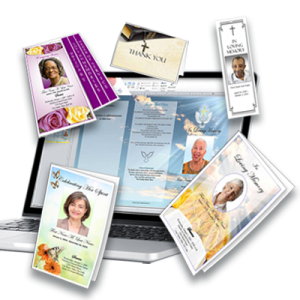
We sell templates to help you create funeral programs. Just select a template from our site and download it to your computer. Insert your pictures and information, save and print on your home computer. You can print out as many copies as you need. You can also take your funeral program file to an office supply store or a print and copy shop and have them print your programs.
Click Here See Our Video that Shows How our Services Work
2. What software programs do I need to use your templates?
You will need Microsoft Word 2003, 2007, 2010 or 2013 to use our templates (NOT Microsoft WORKS). We also have templates available in Microsoft Publisher 2003 or higher. If you do not have Microsoft Word installed on your computer, you may be able to download a trial version from the Microsoft Website. Here is the link to the trial version of the software -- http://office.microsoft.com/en-us/try/
3. I have a MAC, can I use the templates?
Yes...our templates work with MAC. You just have to have Microsoft Word 2002 or higher, or any Microsoft Word Compatible Software (Like Apple Pages).
4. How long will it take to get my template? How long is my template available?
You will receive your template within minutes. You will receive an email with download instructions or you can download your templates from your order details immediatly after payment. If you are experience problems getting your template, please call us at 888-295-1940 or Contact Us.
You can download your templates up to 5 times over a 10 day period. You can download to multiple computers. Once your templates are downloaded to your computer, they are yours to use and re-use until you delete them. We recommend that you save your downloaded templates to a backup drive so that you always have them.
5. What can I change on my template?
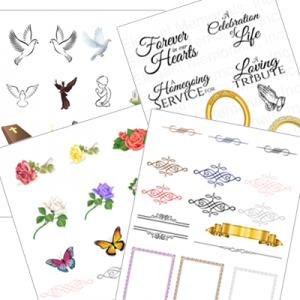
You can change ALL TEXT on our Funeral Program Templates. Feel free to change the title of your funeral program to something more suiting. For example, you can change "In Loving Memory" to "In Remembrance" or "Remembering Her Life". All poems can be changed, and additional poems, scriptures and notes can be added. You can also change font types and styles, add pictures, clipart and changed all text colors and sizes.6. Are your templates easy to use?
Yes! If you are familiar with Microsoft Word, than you can easily use our templates. Since the templates are pre-formatted, all you have to do is open the template, click in the textbox and replace the text with your specific information and add your photos. ALL TEXT is customizable. Add funeral poems, funeral scriptures an obituary, order of service and photo collages. Be as creative as you want!
Click here to Watch this Video on Editing you Funeral Program Template
7. What kind of Customer Support will I get?
You can call customer support at 888-295-1940 with any general or technical questions that you may have. You can also send an email to This email address is being protected from spambots. You need JavaScript enabled to view it. or submit a "Contact Us" form.
8. Do I need a special printer to print?
No, our templates print beautifully on any standard ink jet or laser printer.9. Is it safe to enter my personal information on your website?
Yes. Our payments are handled by PayPal, which is one of the most well-known payments processing companies. You can either pay using a PayPal account, or you can pay directly with your credit card on Elegant Memorials website. Both methods are secure methods of payment.We have several safeguards in place including a SSL (Secure Socket Layer) to encrypt any personal information sent. You can always purchase with confidence at Elegant Memorials knowing your information is safe & secure. Information you transmit to Elegant Memorials is never sold to third-parties. Information we collect is only used to process your order. For further information please see our Privacy and Security Policy.
10. How do I place an order on your website?
Purchasing your funeral program template is quick and easy
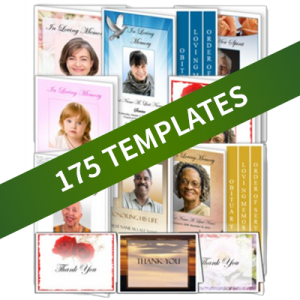
1. Browse our funeral program template design gallery to choose a template and "Add to Cart".
2. Checkout and pay with credit card on our secure site or Pay with Paypal account.
3. Once payment is complete, you will immediately receive an email that will contain a link to your funeral program template file. You can also download your template from the account details section of our website.
4. Click link to download your file, and begin creating your funeral program!
11. Can I re-use my Template?
Yes, you can use your templates as many times as you want.
12. Do you have discounts for buying multiple templates?
Yes... We have a discount when you buy 5 or more individual funeral program templates. Individual templates must add up to a minimum of $99.00 or more. This offer does not apply to Funeral Program Packages. Just select any design or layout and checkout...enter discount code fptemplate. Your discount will be immediately shown in your shopping cart.